I debated whether to write this because AI can be a controversial subject. I use AI every day at work. As a business analyst, I research information and provide management with findings supported by data so decisions can be based on evidence rather than gut instinct or feelings. My employer provides Microsoft Copilot, and I’ve built several agents with it to help with this work. Copilot saves me time on specific tasks and frees me to focus on other priorities, but I always double-check its output before sharing anything with management. Although I’ve used AI for several years, the improvements I’ve seen in Copilot over the past six months have convinced me that it is incredible technology.
One undeniable fact about AI is: everyone has an opinion about it. Critics point to its electricity and water use, while communities resist having data centers nearby. Right now in the U.S. midterm election, candidates at every level—from the Senate to local dog catcher—have taken firm positions on the issue. But one other fact is equally clear: AI is not going away.
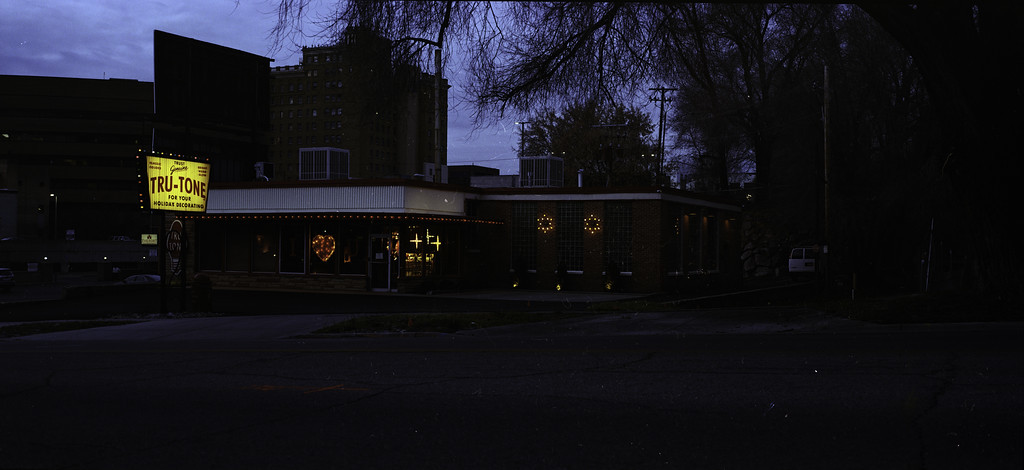
While developing panoramic photos taken with the 6X Mini on my Graflex, I hung the negatives in the bathroom. It wasn’t until later that day that I discovered one roll fell onto the tile floor and bathroom rug. I knew instantly that the combination of a drying negative and dirty floor was going to leave particles permanently glued to the negative. When I scanned the negatives, they were clearly covered in debris. I knew that this was beyond Photoshop, so I accepted my mistake and moved on. A few weeks later, I wondered whether AI could remove the debris from the scanned negative.
Here’s the original image, shot on Kodak Gold 200, taken at dusk in Ogden, Utah. You can see the dust and particles covering the negative.
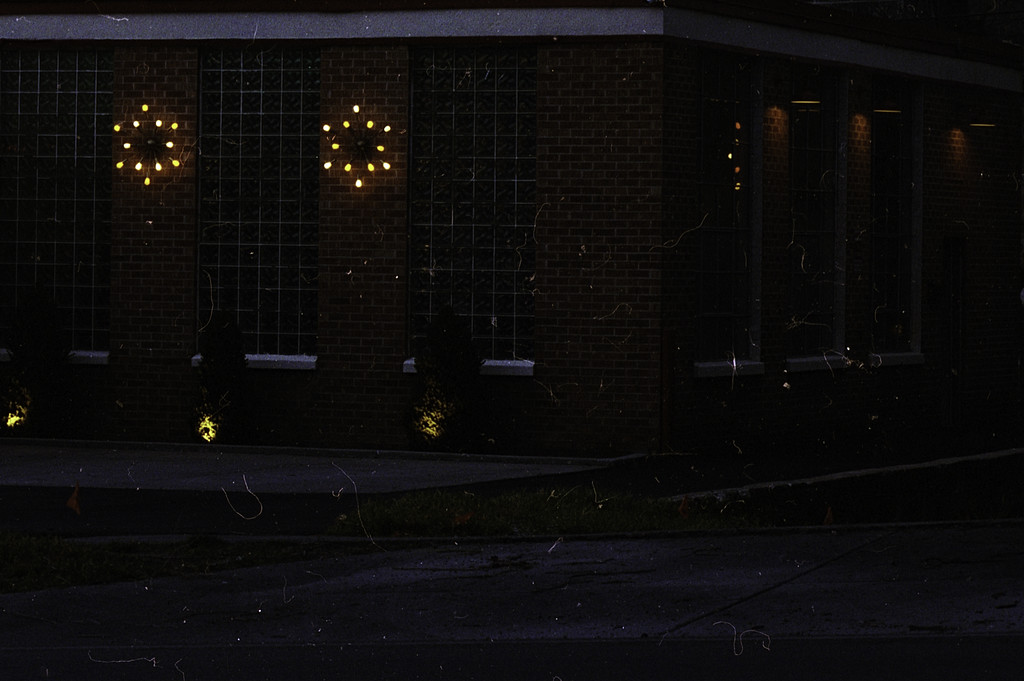
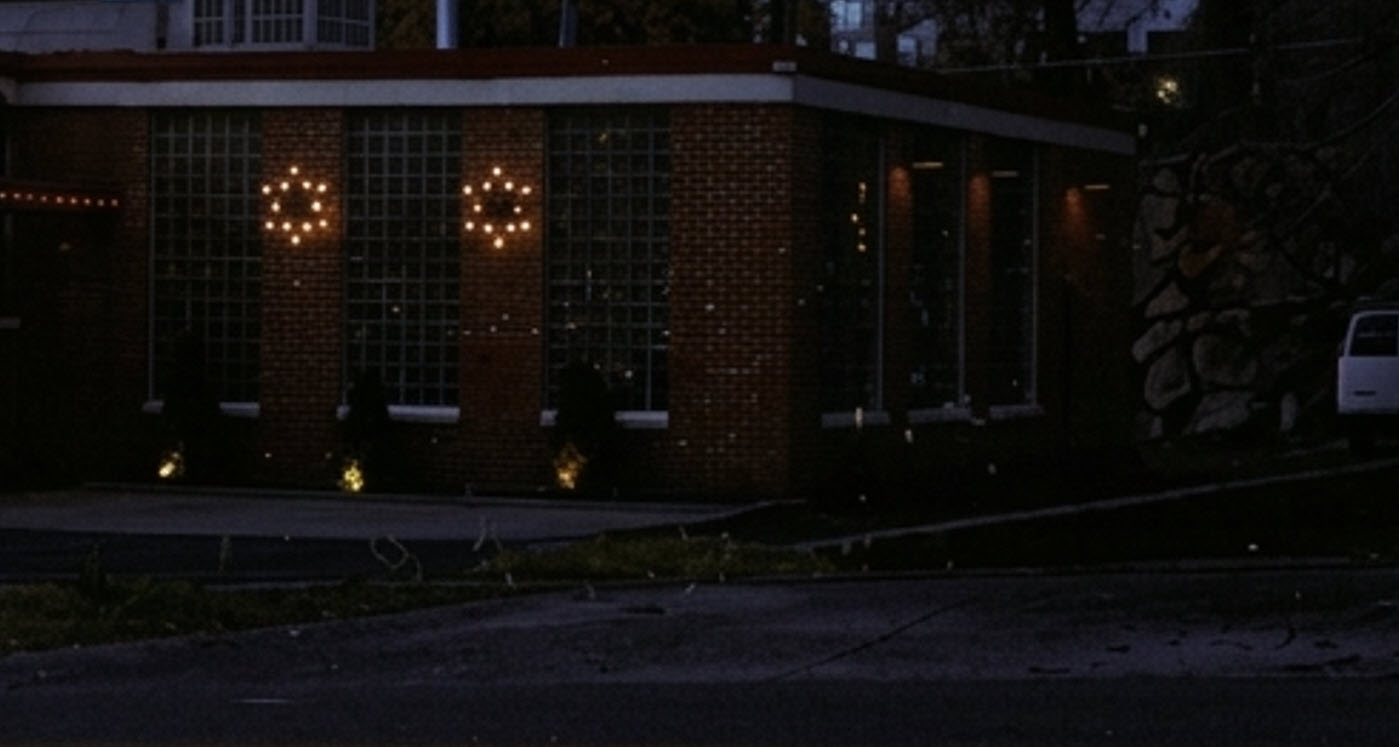
Here’s a cropped close-up of an area of the negative. A film photographer’s nightmare.
The question was whether AI could remove the debris from the scanned negative. The first challenge was writing a precise prompt that clearly described the desired result. Here is the prompt I used: “I’ve attached an image scanned from Kodak Gold 200 film. The negative fell to the floor while drying and contains dust, hair, debris, and possible scratches. Remove only those imperfections. Do not alter the image’s colors or objects. Do not crop the image. Only remove the debris that is dust, hair, and scratches. Return the edited image as a downloadable JPG file.”
The results from Microsoft Copilot:
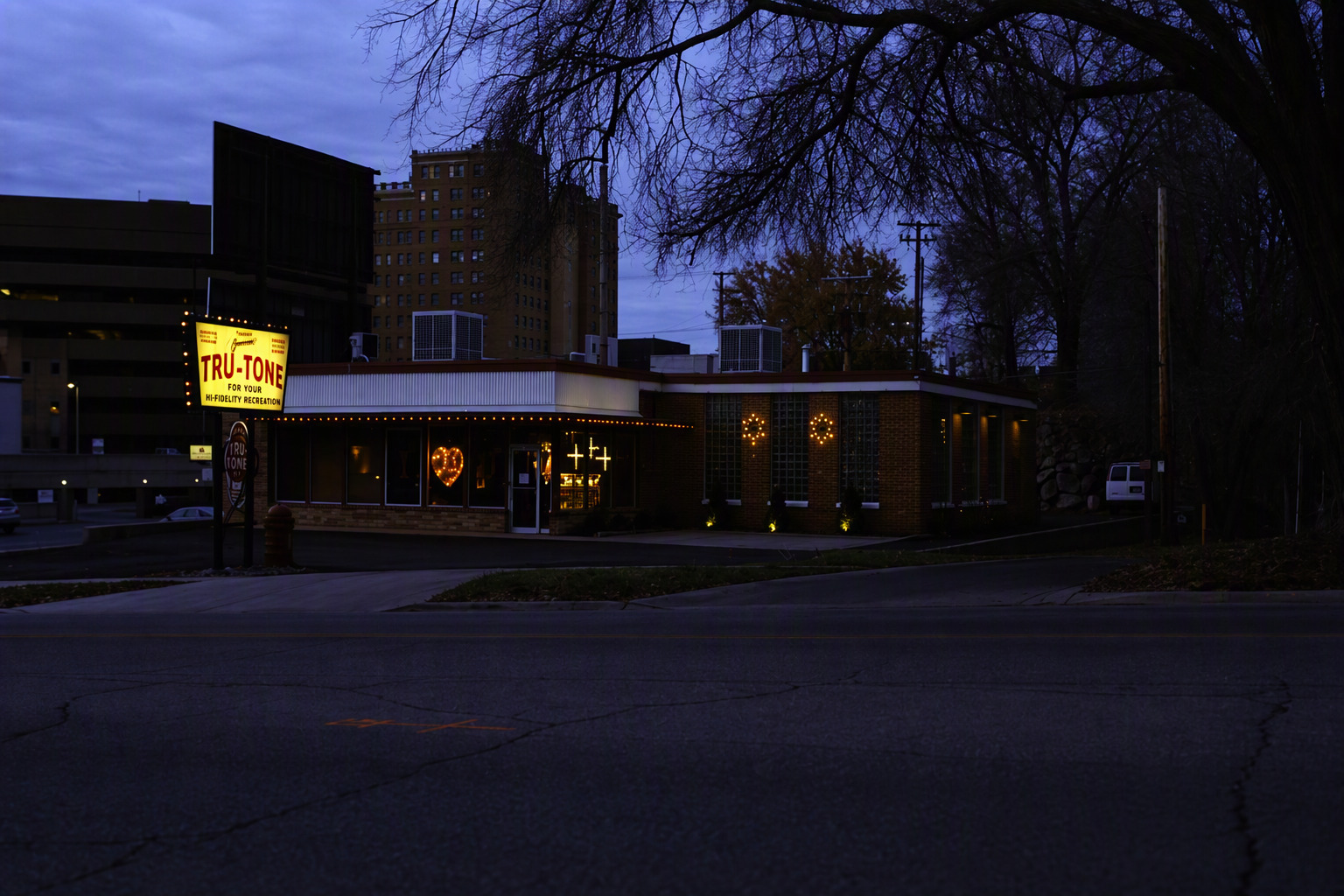
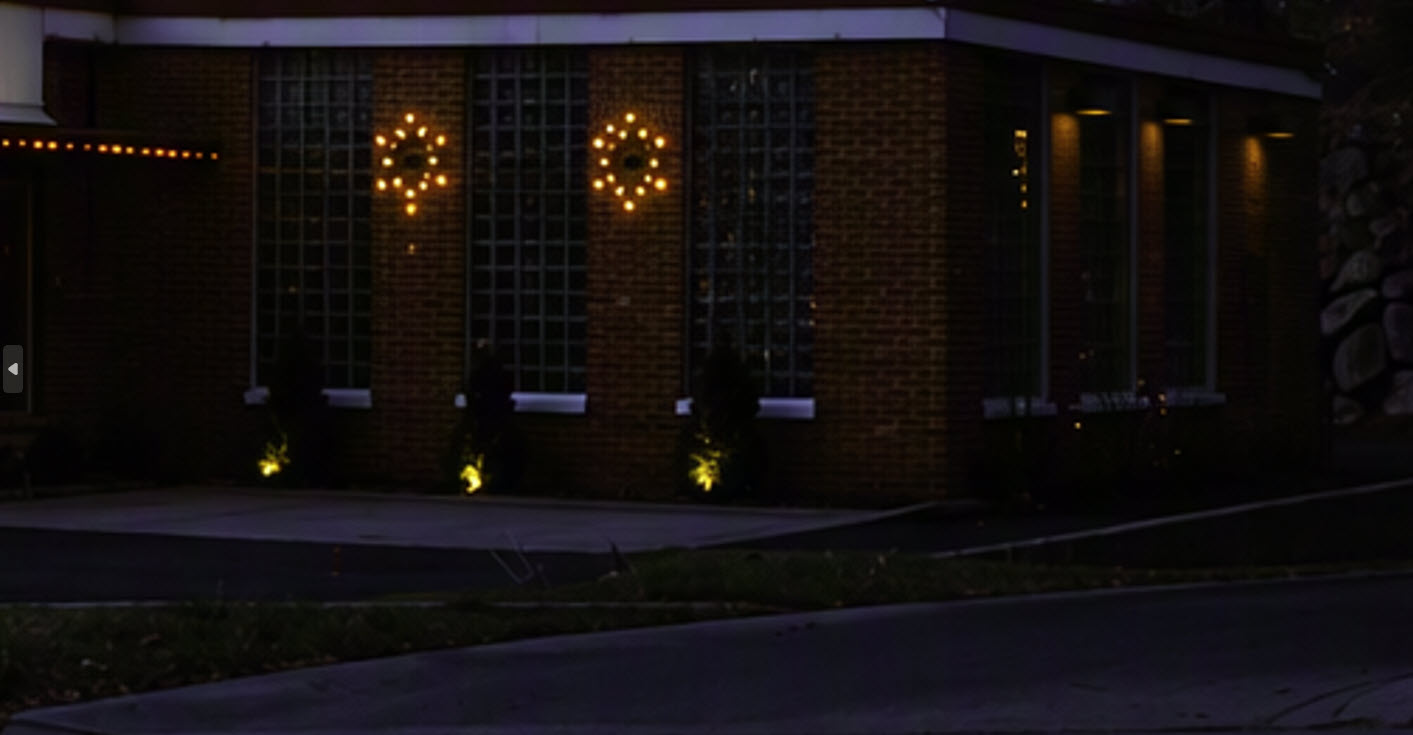
The original image was shot 6×12 (1024×470), and it appears that Copilot returned the image expanded (1536×1024). I’m not sure why it did that. It did not return the image in a JPG format. I see a change in the brightness and color, mainly the sky and the road. However, after zooming in, I see a few spots that weren’t fixed, but I think 90% of the debris is gone. It didn’t change any of the objects in the image. I expected it to change the clouds in the sky, the power/telephone lines, and the asphalt repairs, but it did not.
My Microsoft Copilot is set to Auto, allowing it to use Anthropic’s Claude or OpenAI’s GPT for most everyday tasks. Because the model used can also vary by user, organization, and configuration, I decided to test other AI tools with the same prompt.
The results from Grok:
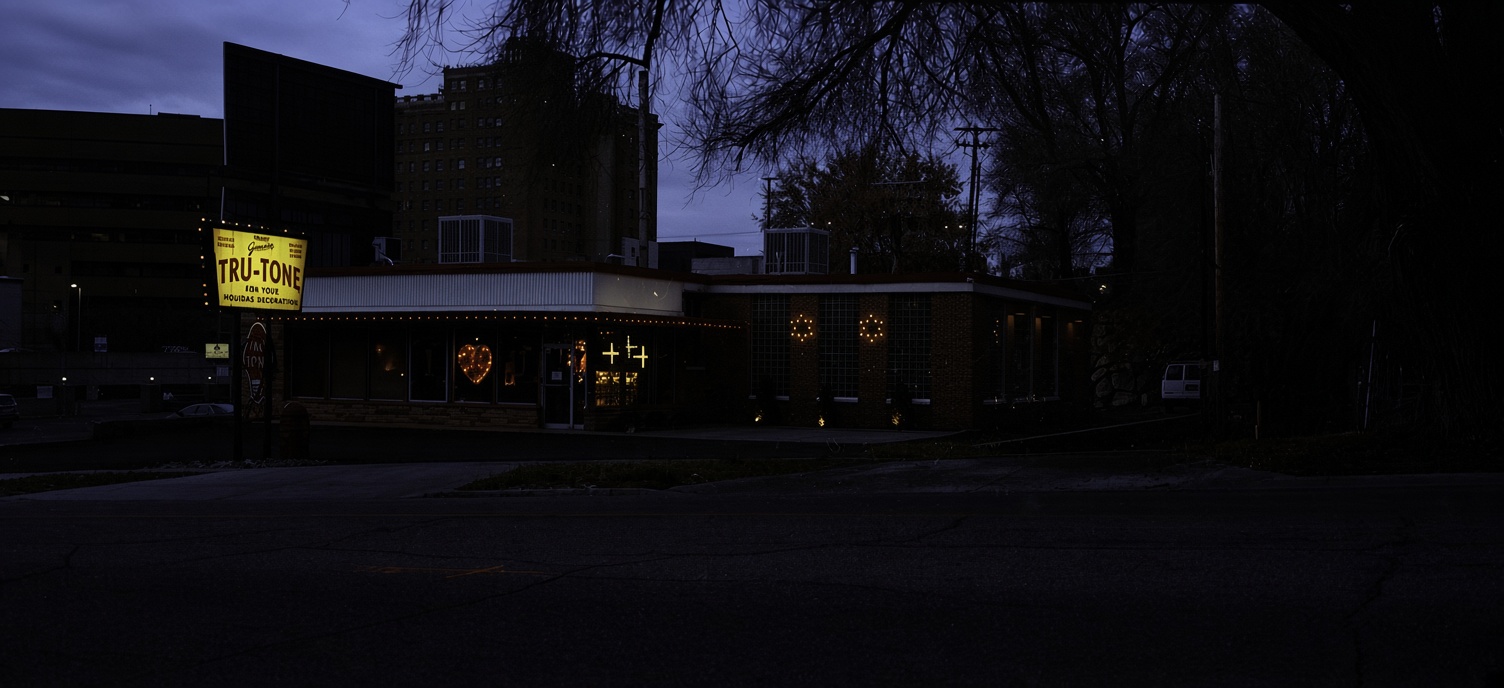
Again, the original image was shot 6×12 (1024×470), and it appears that Grok returned the image expanded (1504×688). It did return the image in a JPG file. The image appears to be darker, clouds, and power/telephone lines appear to be changed. And even without zooming in, it’s clear that most debris has not been removed from the image.
Here are the results directly from ChatGPT:
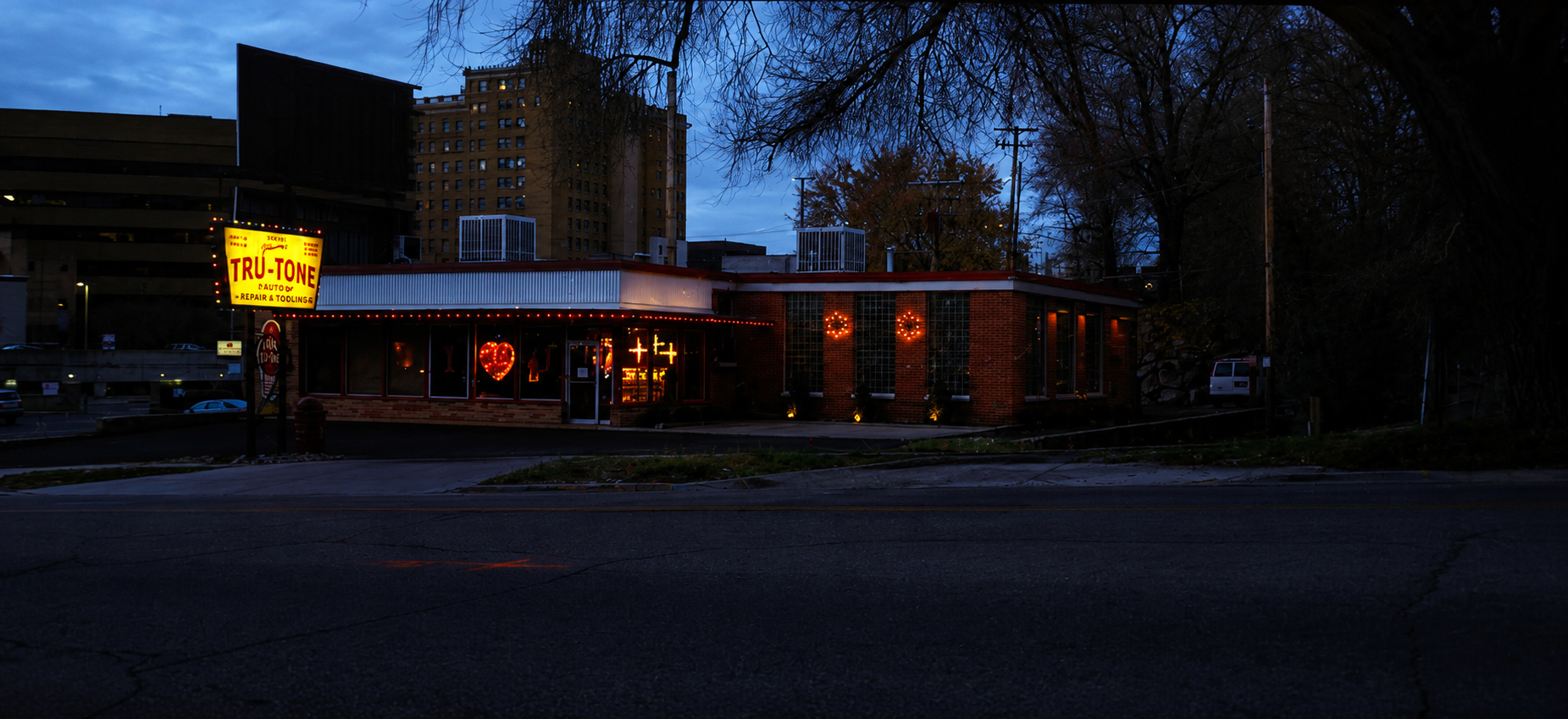
The resulting image is 1851×849. Colors and brightness in the lights on the building have been increased. The overall brightness in the image has increased a little, and most of the debris has been removed, but the image looks grainy. It did return a JPG image, but it wanted to title the photo “Twilight Glow at the Tru-Tone Diner.” The business is not a diner, but I understand how it would be easy to make that mistake.
With the same prompt, here are the results directly from Claude:
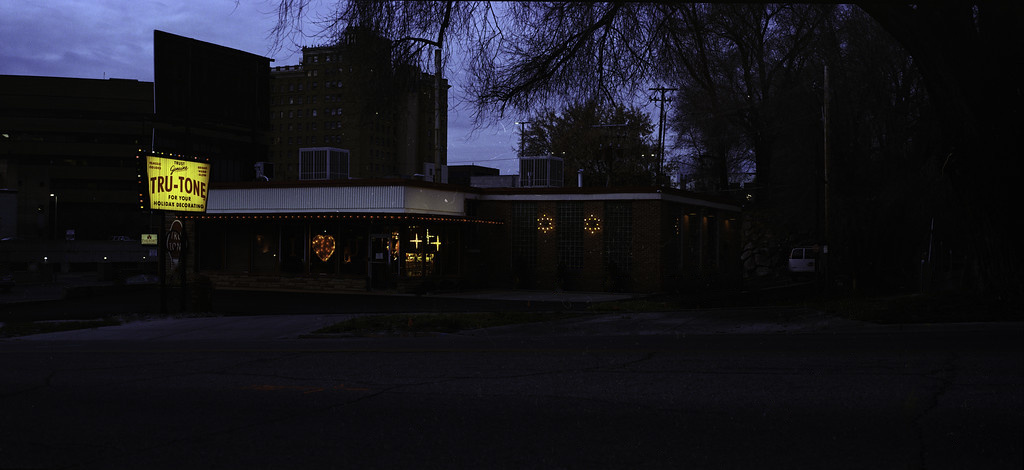
The resulting image is the same size as the original, 1024×470. However, some objects in the image have been removed like lighting in front of the building, the bottom of the window frames, and various items on the left side. Claude took the longest time to create the final image, but after zooming in, I can still see some debris that remains, but it looks different. Almost as though it tried to make corrections but gave up and the remaining pixels appear out of place like noise.
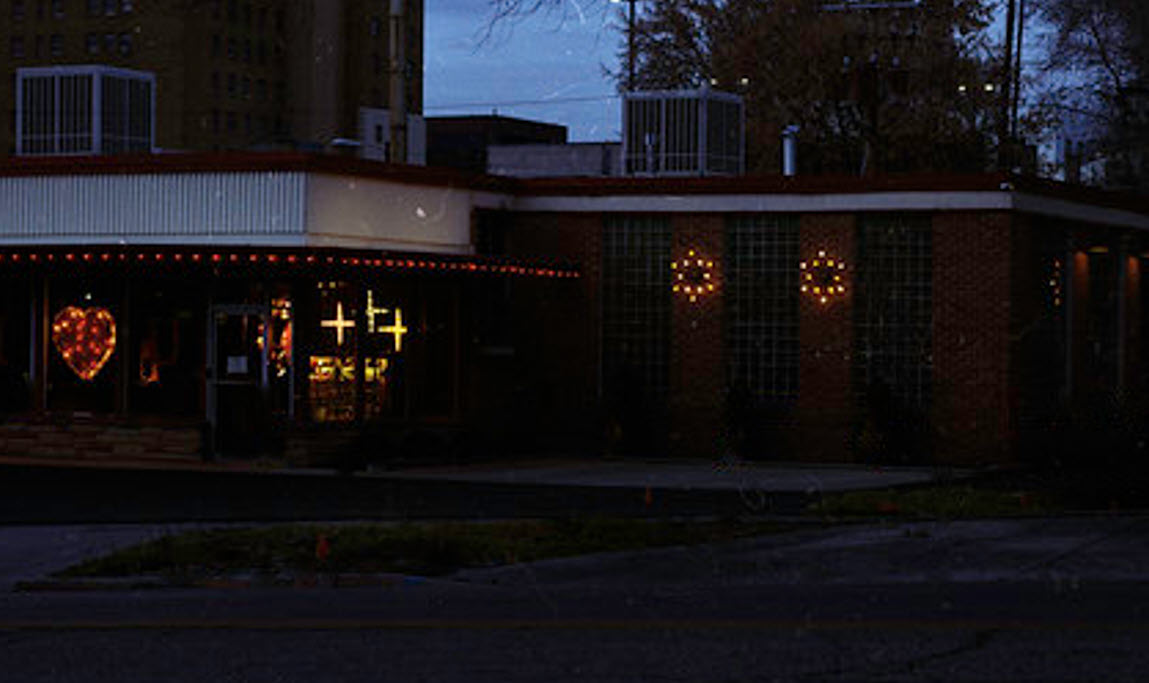
I think the last test should be Google Gemini with the same prompt. Here are the results:
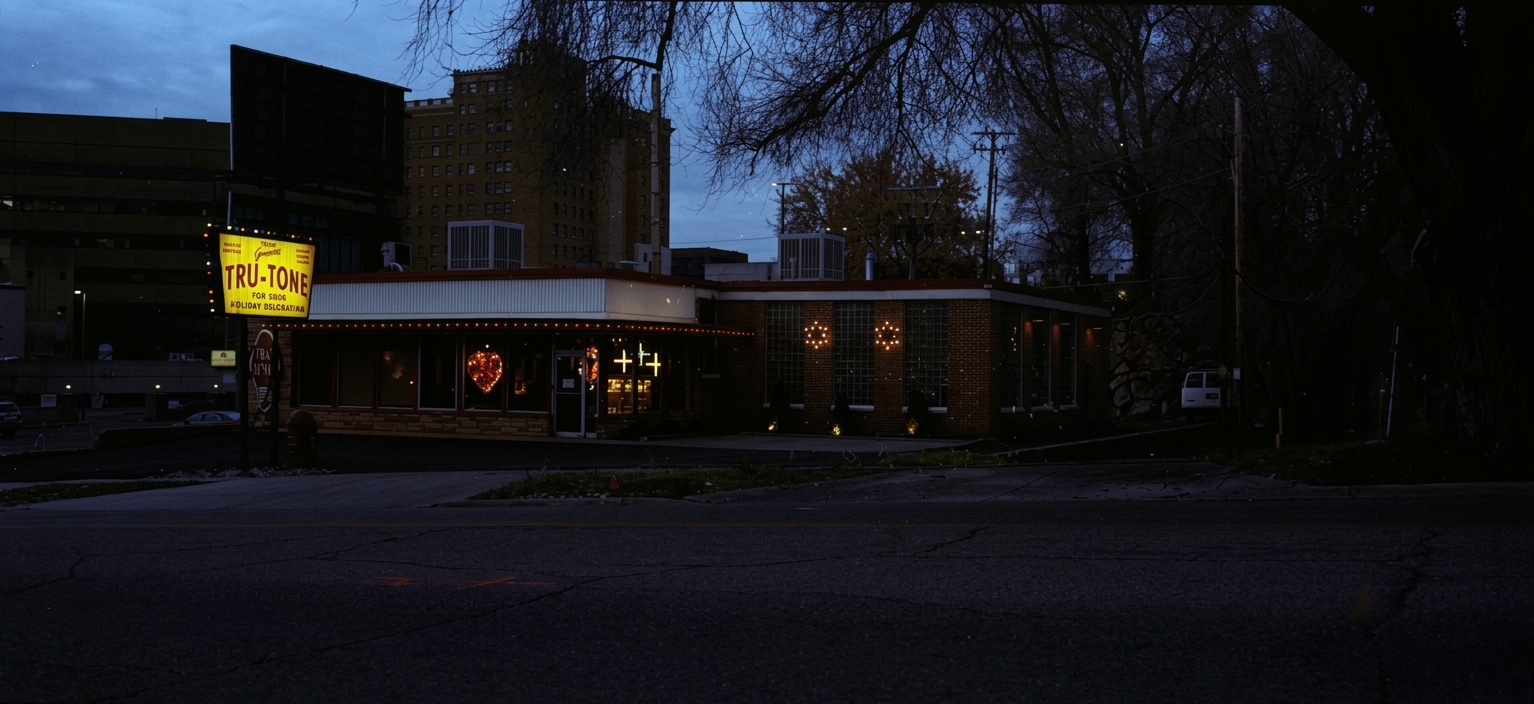
The final image is 1534×704. Again, not the same size as the original. Gemini did the best job by not removing objects or modifying brightness and color. However, without zooming in, most of the debris is visible.
What are the take aways from this experiment?
AI image cleanup remains inconsistent: no agent followed every instruction, and each succeeded where another fell short. Overall, I think Copilot produced the best result. Although it did not return a JPG, the image appeared usable enough to edit in Photoshop. That means human involvement is still essential. AI provided a good first pass, but it could not replace manually punishing the pixels in Photoshop. Of course, whether film photographs should be digitally edited at all is another controversial debate among film photographers. My personal takeaway is simple: keep your drying negatives off the floor, and you can avoid the problem altogether.


